

Guide
The Appointment Isn't Done When It's Booked
Last-minute texts, empty driveways, phone tag and forgotten tune-ups: what keeping customers on schedule really costs a small service business, and a simpler way to run it.
By Bassel Mokabel, founder of onDimi ·
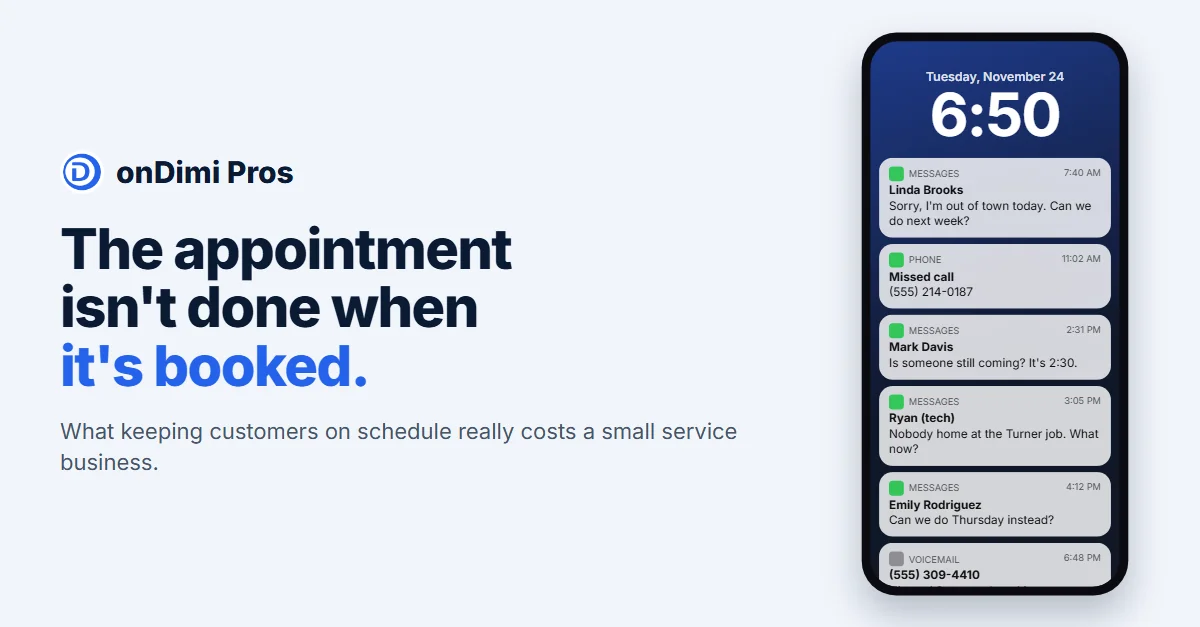
Picture a Tuesday for an HVAC owner with four trucks.
At 7:40 AM, before the first truck leaves the shop, a text comes in: "Sorry, I'm out of town today. Can we do next week?" That was a two-hour repair. Now it's a hole in the schedule.
At 9:15, a technician drives forty minutes to a tune-up. He knocks. Nobody's home. The customer forgot, and nobody reminded her.
At 11:00, the owner is in an attic with gloves on. His phone buzzes twice and stops. By the time he climbs down, the caller has booked someone else.
At 2:30, a customer texts the office: "Is someone still coming?" The tech is running late, and nobody told her.
At 6:00, the owner finally sits down to tomorrow's schedule. Half of it lives in his head, and the other half is in text threads.
None of this is unusual. It's the normal day of a small service business. The work itself is the easy part. Keeping every customer and every technician on the same page is what eats the day.
The job is booked. Then the real work starts.
Booking the appointment feels like the finish line. It's closer to the starting line. Between the booking and the finished job, a lot has to go right:
- the customer remembers, and is home;
- the time still works for them, or gets moved before the truck rolls;
- the technician knows where to go, in what order, and what the job is;
- the customer knows when the tech is coming, and what to do if plans change;
- after the job, the next service gets booked before anyone forgets.
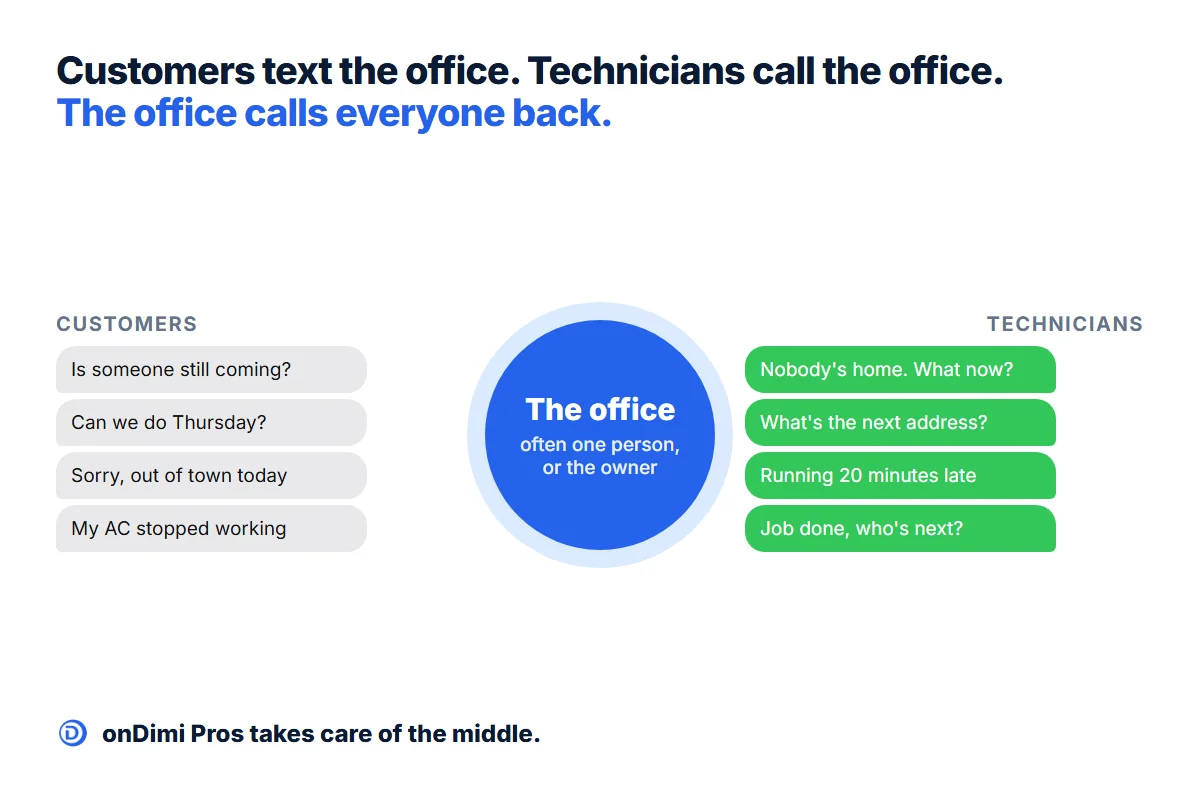
Every one of those steps is a conversation with a customer. In a small business, most of those conversations run through the owner's phone.
What it really costs
The empty driveway. A tech drives to a house and nobody answers the door. That's a wasted trip, a wasted hour of a paid technician, and an empty slot you could have filled. On the ACCA contractors' blog, owners describe the same pattern: the tech shows up, no answer at the door or on the phone, and later the customer calls asking why nobody came (ACCA).
The last-minute cancel. "Out of town." "Forgot." "We went with someone else." Data from 300,000 HVAC jobs put cancellations near 30%, and one contractor cut his by 21% in a year just by calling the day before and an hour before arrival (ACHR News). The fix works. The problem is finding the time to make those calls.
Phone tag. The office leaves a voicemail to confirm. The customer never listens to it. Most homeowners now expect to hear from you by text: 59% expect text updates about their service (Housecall Pro, 2025), and text is now almost as common as a phone call for first contact (Modernize, 2025).
The call you couldn't take. You're on a job, driving, or it's after 5. Calls to home-service businesses go unanswered 27% of the time, and fewer than 3% of callers sent to voicemail leave a message (Invoca, 2024). Owners also guess wrong about it: in one study they believed they answered 97% of calls, and recordings showed 66% (Service Direct).
The schedule in your head. Who's free Thursday afternoon? Which tech is closest? Did anyone tell Mrs. Davis the new time? When the schedule lives in one person's head, that person can never step away.
The tune-up nobody booked. A customer gets a spring tune-up and plans to call in the fall. Nobody does. Maintenance customers are the steadiest revenue a service business has, and a plan quietly lapses when no one follows up.
Why a reminder text isn't a plan
Most scheduling tools send one reminder text and stop there.
The customer might read it. They might not. If they reply "can we do Thursday instead?", someone still has to answer, find a time, move the appointment, tell the technician and confirm with the customer. If they don't reply at all, nobody notices until the truck is in the driveway.
A reminder is one message. Keeping a customer on schedule is a conversation, and it has to happen with every customer, every week, while you're on a job.
What it should feel like
Think about the best office manager you've ever worked with. She calls the day before. She knows who prefers texts. When a customer can't make it, she has a new time booked before the tech leaves. She remembers that the Johnsons are due for a tune-up in October. And she tells you only what needs you.
That's what we built onDimi Pros to do. It's ready-made AI customer service for service businesses and professionals, and it works alongside your office:
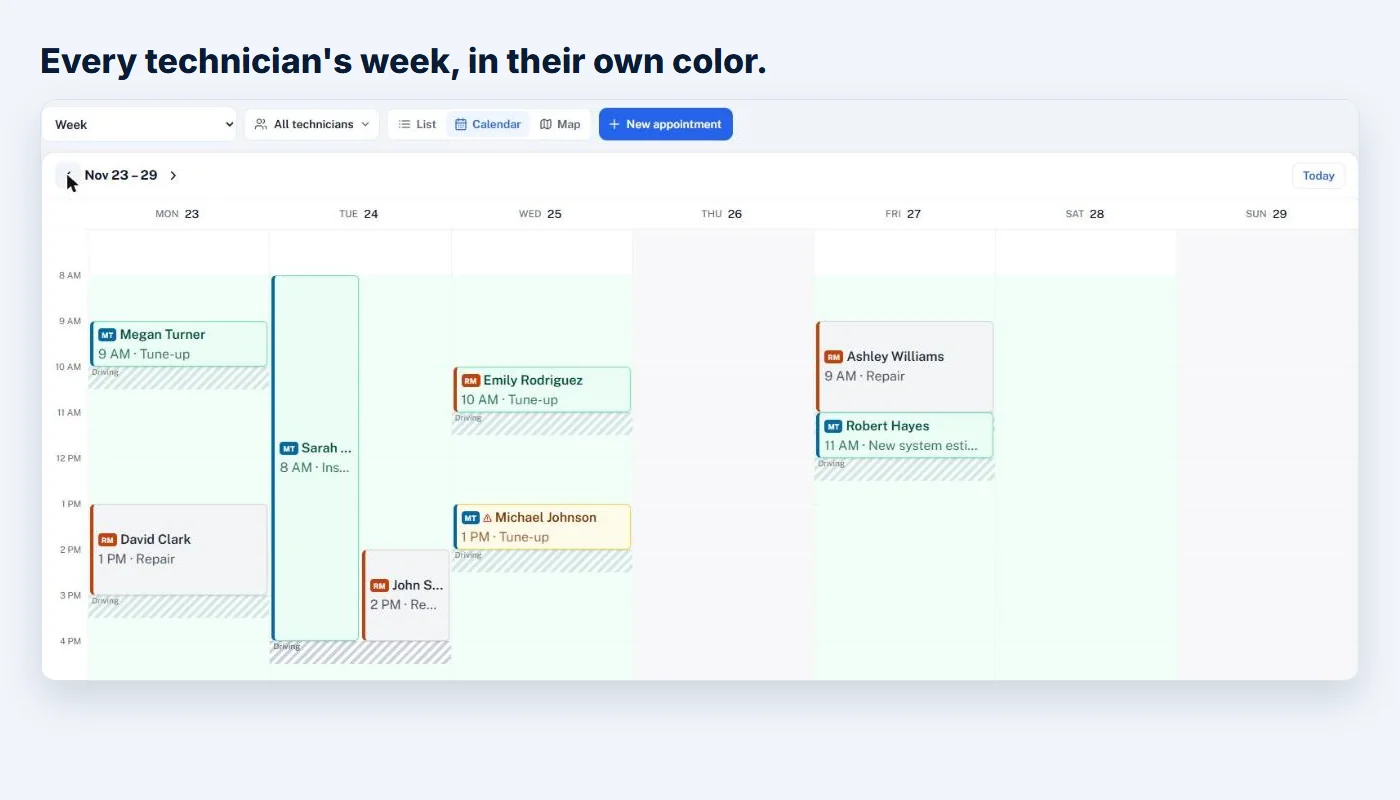
- It keeps your schedule. Service appointments and technician schedules in one place, with each technician's day on a calendar and a map, numbered in the order they'll do them.
- It stays in touch with every customer. It confirms new appointments, reminds customers by text, email and phone call, and calls the day before to make sure they'll be home.
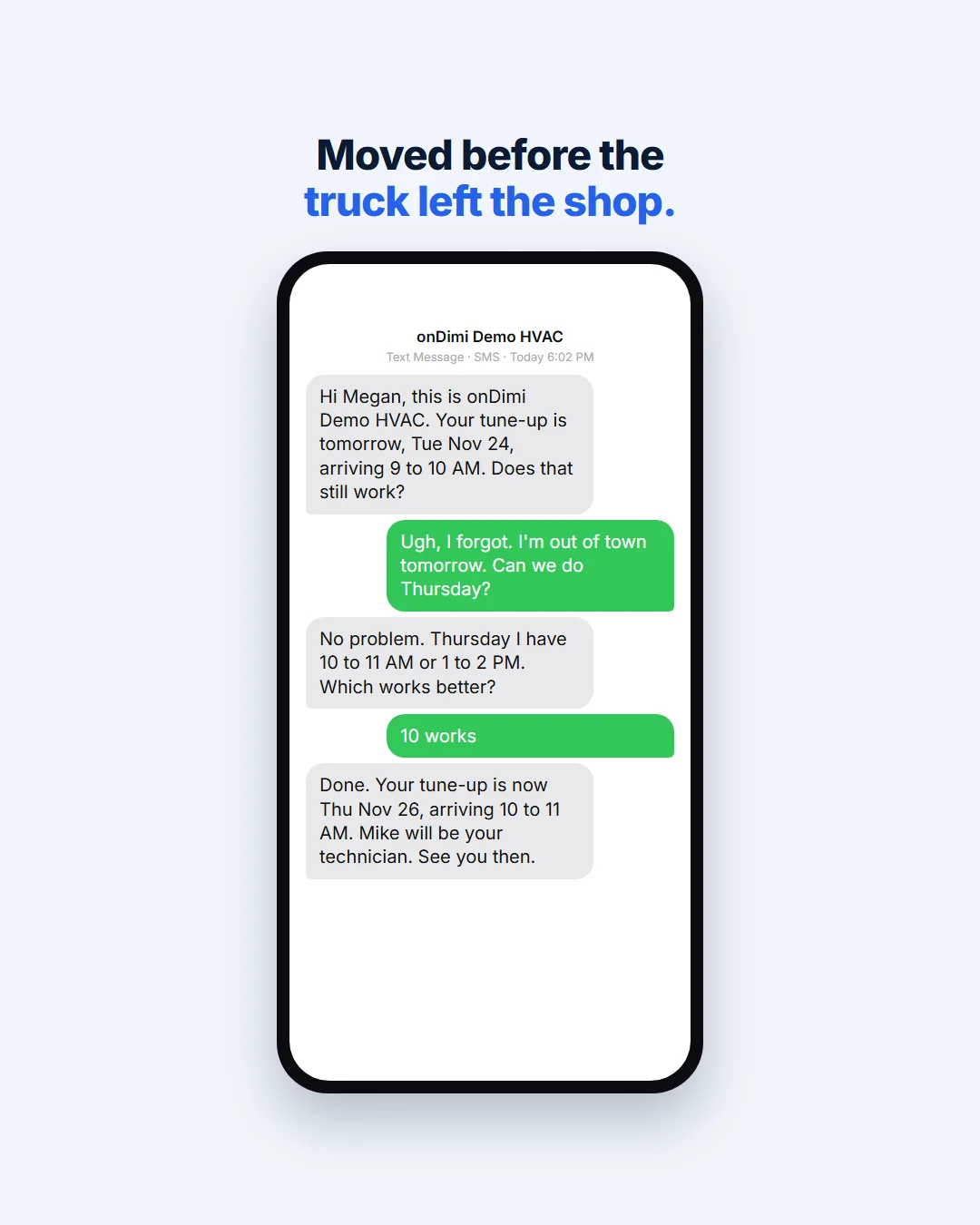
- It handles changes. When a customer says "can we do Thursday?", it offers times you actually have free, moves the appointment and lets everyone know.
- It answers calls and messages, day and night, from your own business information, and saves new callers' requests for your office.
- It brings customers back. Repeat services like a yearly tune-up get reminders before they're due.
- You stay in charge. Anything that needs a person shows up in one "Needs office" list. You set the hours, the services and the rules.
Run it from the AI you already use
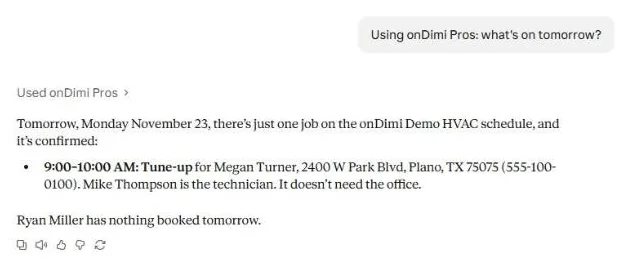
This is the part most owners don't expect. You don't have to learn another app. If you already use an AI app like ChatGPT, Claude, Grok or Gemini, connect onDimi Pros to it and run your day by asking, from your phone, between jobs:
- "What's on tomorrow?"
- "Which customers still need to confirm?"
- "Move the Clark repair to Wednesday afternoon."
- "Text Megan that Mike is running 15 minutes late."
It answers from your real schedule, finds open times, and checks with you before it books, moves or texts anything. The office app is always there too, but most days you can run the business in plain words.
A 2-minute demo: a new customer calls, the appointment gets booked, confirmed by text, and moved by the customer on the day-before call. Watch the full demo.
A checklist any service business can use
Whether you use onDimi or not, these habits cut wasted trips and empty slots:
- Confirm every new appointment the same day, by text, with the date, the arrival window and the address.
- Remind the day before, and ask for a yes. A reply tells you more than a sent message.
- Make it easy to move, with a clear way to pick another time, before the truck leaves.
- Tell the customer when the tech is on the way, and who's coming.
- Plan each technician's day by location, not just by time.
- Book the next service before you leave, or set a reminder for it.
- Keep one list of what needs a person, so nothing sits in someone's phone.
Your customers, taken care of
I've spent years building AI customer service for big companies. Small service businesses need it more than anyone, and they're the last to get it: the owner is on a ladder, the office is one person, and every missed text costs a job.
onDimi Pros takes care of the conversations between the booking and the finished job, so you and your techs can do the work.
Book a demo: pros.ondimi.com/demo. We're piloting with HVAC businesses now.
Frequently asked questions
How do I reduce no-shows for service appointments?
Confirm when you book, remind the day before and ask for a reply, and make it easy to move the time. Calling the day before is one of the few steps with published results: one HVAC contractor cut cancellations by 21% in a year.
Should I text or call customers about appointments?
Both. Most homeowners now expect text updates, and a call the day before catches the people who don't read texts. onDimi uses text, email and phone calls, and stops once the customer confirms.
What happens when a customer wants to reschedule?
onDimi offers times you actually have free, moves the appointment, updates the technician's day and confirms with the customer. Anything unusual goes to your office's Needs office list.
Does it answer calls when we're busy or closed?
Yes. It answers calls and messages day and night from your business information, and when someone asks for a person, it puts the call through to your business phone during office hours or takes a message.
Is onDimi Pros an answering service?
No. Answering calls is one part of it. onDimi Pros runs the customer side of your service appointments from booking to the next tune-up: confirmations, reminders, the day-before call, rescheduling and follow-ups, with your technicians' schedules in one place.
Can I manage it from the AI assistant I already use?
Yes. Connect ChatGPT, Claude, Grok or Gemini and ask about your schedule, move appointments or text a customer. It always checks with you before changing anything.
Bassel Mokabel is the founder of onDimi. He built onDimi Pros so small service businesses get the same customer care big companies pay for.